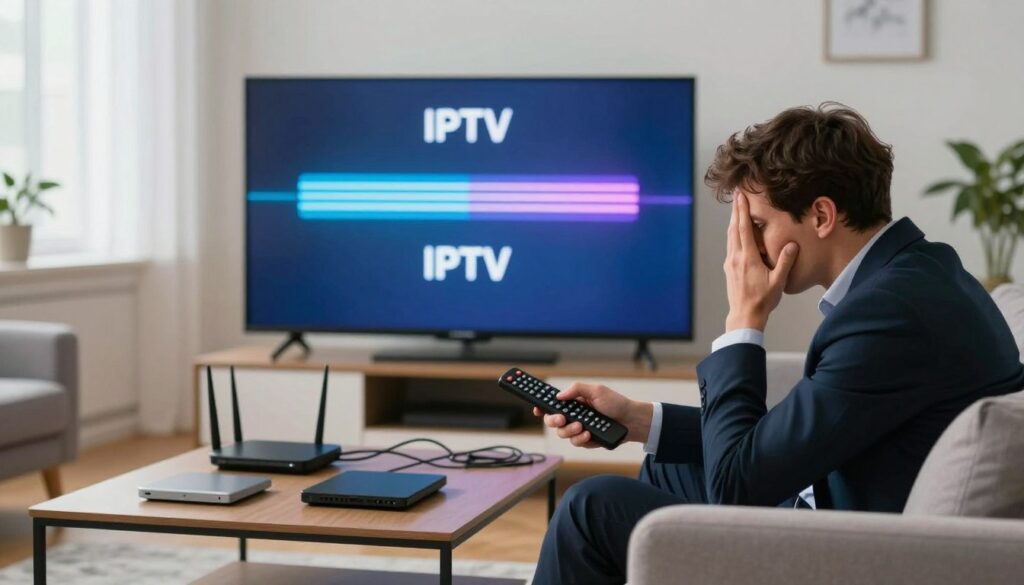
There is nothing more frustrating than settling in for a movie night only to have your screen freeze at the most exciting moment. Dealing with IPTV Lag can turn a relaxing evening into a source of constant annoyance for viewers across the United States.
Maintaining high streaming quality is essential for a seamless digital experience. When your connection remains stable, you can enjoy your favorite shows without the interruption of constant buffering or pixelated images.
Fortunately, you can often fix these issues with a few minor adjustments to your home network. By optimizing your streaming performance, you ensure that your digital television services run smoothly every single day.
Taking these small steps early helps you avoid the common technical headaches that plague many modern households. Improving your streaming quality is a simple way to get the most out of your entertainment setup.
Key Takeaways
- Identify the root causes of connection delays in your home network.
- Optimize your router settings to boost overall streaming performance.
- Use a wired connection to minimize signal interference.
- Regularly update your device software to ensure compatibility.
- Clear cache files to prevent memory-related playback issues.
Understanding the Causes of IPTV Lag
Understanding why your stream stutters is the first step toward a perfect viewing experience. While it is easy to blame your internet connection for every glitch, the reality is often more complex. Lag usually results from a combination of local network hurdles and external technical factors.

Network Congestion and Bandwidth Limitations
Your home network acts as a digital highway for your data. When too many devices compete for the same bandwidth, traffic jams occur, leading to noticeable buffering. High-definition streaming requires a steady, uninterrupted flow of data to maintain quality.
- Too many devices connected to the same Wi-Fi channel.
- Background downloads or updates consuming available speed.
- ISP throttling during peak evening hours.
Server-Side Issues and Provider Reliability
Sometimes, the problem originates far beyond your front door. Even with a lightning-fast internet plan, your experience depends heavily on IPTV provider reliability. If the source server is overloaded or poorly maintained, your stream will freeze regardless of your local setup.
A reputable service ensures that their infrastructure can handle high traffic volumes. When you experience consistent drops, it often points to a lack of IPTV provider reliability rather than a fault in your own equipment.
Hardware Limitations of Streaming Devices
The device you use to watch content plays a massive role in performance. Older streaming sticks or budget boxes often struggle to process high-bitrate streams efficiently. Limited RAM and outdated processors can cause the application to hang or crash during playback.
If your hardware cannot keep up with the data stream, you will see frequent stuttering. Upgrading to a more capable device is often the most effective way to resolve these specific performance bottlenecks.
Optimizing Your Home Network for Better Streaming
Many users struggle with lag simply because their home network setup is not optimized for high-bitrate traffic. A robust foundation is essential for maintaining network stability, especially when you are watching live sports or high-definition content during peak evening hours.

The Importance of Wired Ethernet Connections
Whenever possible, you should prioritize a wired connection over a wireless one. Ethernet cables provide a direct path for data, which significantly reduces the chance of packet loss and latency spikes.
Unlike wireless signals that can be interrupted by walls or other electronics, a physical cable ensures a consistent data flow. This is the single most effective way to eliminate stuttering during your favorite broadcasts.
Positioning Your Wi-Fi Router for Maximum Signal Strength
If you must use wireless, the physical location of your router is vital for a strong Wi-Fi signal. Place your device in a central, elevated position away from thick walls or large metal objects that can block transmission.
Avoid hiding your router inside cabinets or behind your television. Keeping it in an open space allows the signal to propagate evenly throughout your home, ensuring your streaming device receives the full speed of your internet plan.
Managing Connected Devices to Free Up Bandwidth
Effective bandwidth management is necessary when multiple people share the same internet connection. If other devices are downloading large files or streaming in 4K, your IPTV service may suffer from a lack of available data.
Try to disconnect or pause high-traffic activities on secondary devices while you are watching live television. This simple habit ensures that your primary streaming box gets the priority it needs for a smooth, uninterrupted experience.
| Connection Type | Stability | Speed Potential | Best Use Case |
|---|---|---|---|
| Wired Ethernet | Excellent | Maximum | Primary Streaming Box |
| 5GHz Wi-Fi | Good | High | Nearby Mobile Devices |
| 2.4GHz Wi-Fi | Fair | Moderate | Smart Home Sensors |
Configuring Your Router Settings for IPTV
Your home router serves as the primary gateway for all your digital traffic, making it the most critical component for a smooth streaming experience. Proper router optimization can drastically reduce latency and prevent those annoying freezes during your favorite shows. By taking a few minutes to adjust your hardware settings, you can create a much more stable environment for your media consumption.

Enabling Quality of Service (QoS) Settings
One of the most effective ways to maintain high internet speed is by using Quality of Service (QoS) settings. This feature allows you to prioritize specific traffic, ensuring your streaming device gets the bandwidth it needs before other tasks like file downloads or web browsing.
“The secret to a perfect network is not just having more bandwidth, but managing the bandwidth you already have with precision.”
When you enable QoS, you can assign your IPTV device the highest priority level. This simple change ensures that your stream remains fluid even when other household members are active online.
Updating Router Firmware for Improved Performance
Manufacturers frequently release firmware updates to fix bugs and improve how your hardware handles modern traffic protocols. Running outdated software can lead to unnecessary bottlenecks that slow down your connection. You should check your router’s administrative panel regularly to ensure you are using the latest version available.
These updates often include security patches and performance enhancements that make your network more efficient. Keeping your device current is a vital step in maintaining a reliable connection for high-definition content.
Changing DNS Servers to Enhance Connection Speed
Sometimes, the default servers provided by your internet service provider are slow to resolve domain names, which can cause delays when starting a stream. Adjusting your DNS settings to use faster, public alternatives like Google DNS or Cloudflare can significantly improve your initial connection time.
- Log into your router’s web interface using your admin credentials.
- Navigate to the WAN or Internet settings section.
- Locate the DNS server fields and input your preferred provider’s addresses.
- Save your changes and reboot your router to apply the new configuration.
By switching to a more responsive service, you can bypass slow resolution times and enjoy a snappier experience. This minor tweak is a powerful way to boost your overall internet speed without needing to upgrade your service plan.
Troubleshooting Your Streaming Device
If your IPTV service is stuttering, the culprit might be hidden deep within your device’s system settings. Many users overlook streaming device maintenance, yet it remains vital for keeping your hardware running at peak efficiency. By taking a proactive approach, you can prevent memory-related issues before they disrupt your favorite shows.
Clearing Cache and Data on Android TV and Fire TV
Over time, applications accumulate temporary files that can slow down your system. Performing regular cache clearing helps free up valuable storage space and clears out corrupted data that causes playback freezes. You can usually find these options under the “Applications” or “Apps” menu in your device settings.
Simply select your IPTV player from the list and choose the option to clear the cache. Be careful not to select “Clear Data” unless you have your login credentials saved, as this will reset the app to its original state. This simple habit ensures your player runs smoothly without unnecessary digital clutter.
Managing Background Applications to Save RAM
Streaming devices often have limited memory, and running too many apps at once can lead to performance bottlenecks. When background applications consume your RAM, your IPTV stream may struggle to maintain a stable connection. Always close unused apps completely rather than just returning to the home screen.
A well-maintained device is the foundation of a high-quality home entertainment experience. Neglecting your hardware is the fastest way to invite lag into your living room.
— Tech Enthusiast Weekly
Updating Device Software and IPTV Applications
Keeping your system software and applications current is essential for long-term stability. Regular firmware updates provide critical security patches and improve compatibility with the latest streaming codecs. These updates often include performance optimizations that specifically target network handling and video decoding.
Check your device settings menu periodically to ensure you are running the latest version of the operating system. Similarly, visit your app store to verify that your IPTV player is fully updated. Staying current ensures your hardware can handle high-definition streams without breaking a sweat.
| Maintenance Task | Frequency | Primary Benefit |
|---|---|---|
| Cache Clearing | Monthly | Prevents stuttering |
| Firmware Updates | Quarterly | Improves compatibility |
| Background App Check | Weekly | Frees up RAM |
Selecting the Right IPTV Player Application
Your choice of player application acts as the bridge between your data and your screen, making it a critical component for performance. Even with a fast connection, the wrong software can lead to persistent buffering issues that ruin your viewing experience. Selecting a high-quality player is often the missing link in achieving a smooth, high-definition stream.
Comparing Popular Players like TiviMate and IPTV Smarters
TiviMate is widely praised for its modern interface and exceptional stability on Android-based devices. It offers a premium feel with features that allow for deep customization of your channel lists and recording options.
On the other hand, IPTV Smarters remains a popular choice due to its broad compatibility and user-friendly layout. Both applications provide robust tools, but your final choice should depend on your device’s specific processing power and your personal preference for navigation.
Adjusting Buffer Settings Within the Application
Most professional players allow you to modify internal IPTV player settings to better match your network environment. If you notice frequent pauses, increasing the buffer size can provide a larger cushion of data to draw from during minor network fluctuations.
Be careful not to set this value too high, as it may cause a delay when you switch between channels. Finding the right balance is key to eliminating those annoying buffering issues that interrupt your favorite shows.
Utilizing Hardware Decoding vs Software Decoding
Understanding how your device processes video is essential for long-term stability. Hardware acceleration offloads the heavy lifting of video decoding from your device’s CPU to a dedicated graphics processor.
This shift significantly reduces the strain on your hardware, leading to cooler operating temperatures and smoother playback. If your device supports it, always enable hardware acceleration within your IPTV player settings to ensure the best possible performance for high-bitrate content.
The Role of VPNs in Reducing IPTV Lag
If you are tired of constant buffering, a VPN for IPTV might be the missing piece of your setup. Many users find that their connection stability improves significantly once they start routing their traffic through a secure tunnel. This simple change often resolves persistent IPTV Lag that seems to have no other logical cause.
How ISP Throttling Affects Streaming Quality
Internet Service Providers sometimes detect high-bandwidth activities like video streaming and intentionally slow down your connection. This practice, known as ISP throttling, is a common culprit behind poor streaming quality. By using a private network, you effectively mask your data packets from your provider.
When your ISP cannot identify the specific type of traffic you are consuming, they are less likely to apply speed restrictions. This allows you to maintain a consistent internet speed during peak hours. Consequently, you can enjoy your favorite content without the frustration of sudden drops in resolution.
Choosing a High-Speed VPN Protocol like WireGuard
Not all connection methods are created equal when it comes to performance. It is essential to select a modern, high-speed protocol such as WireGuard to keep your latency low. Older protocols often add unnecessary overhead, which can ironically lead to more IPTV Lag if not configured correctly.
WireGuard is designed to be lightweight and efficient, making it perfect for high-definition video. By prioritizing this protocol, you ensure that your streaming quality remains crisp and fluid. This choice helps balance the need for privacy with the requirement for fast data transmission.
Selecting VPN Servers Closer to Your Physical Location
The physical distance between your device and the server plays a major role in your overall internet speed. Connecting to a server on the other side of the world will naturally introduce delays that hurt your viewing experience. Always aim to select a server that is geographically close to your actual location.
Most premium services offer a wide range of server locations to choose from. By picking a nearby node, you minimize the time it takes for data to travel back and forth. This simple adjustment is a highly effective way to combat ISP throttling and keep your connection stable throughout the day.
Advanced Network Tweaks for Power Users
Power users know that small adjustments to network configuration can lead to significant improvements in streaming quality. By moving beyond basic settings, you can create a more reliable environment for your media consumption. These technical refinements are designed to enhance network stability and ensure your data flows without interruption.
Implementing Static IP Addresses for Streaming Devices
Most routers assign dynamic IP addresses to devices, which can occasionally cause connection drops when the lease expires. By assigning a static IP address to your streaming box, you ensure that your router always recognizes the device instantly. This simple change prevents the handshake delays that often lead to annoying buffering during live broadcasts.
Adjusting MTU Settings to Prevent Packet Fragmentation
The Maximum Transmission Unit (MTU) determines the largest data packet size that can pass through your network. If your MTU is set too high, packets may become fragmented, forcing your device to reassemble them and slowing down your stream. Adjusting this value to a standard size, such as 1492 or 1500, helps maintain a smooth data flow and prevents unnecessary packet loss.
Using Powerline Adapters as a Wi-Fi Alternative
If you cannot run a physical Ethernet cable across your home, powerline adapters offer a clever solution. These devices use your home’s existing electrical wiring to transmit internet signals from your router to your streaming device. This method provides a much more consistent connection than standard Wi-Fi, which is often prone to interference from other household electronics.
| Connection Type | Stability Level | Ease of Setup | Best Use Case |
|---|---|---|---|
| Ethernet Cable | Excellent | Moderate | Primary Streaming |
| Powerline Adapter | High | Easy | Long-distance Rooms |
| Standard Wi-Fi | Variable | Very Easy | Mobile Devices |
Choosing the right connection method is vital for long-term network stability. While wireless signals are convenient, powerline adapters or direct cables remain the gold standard for high-definition streaming. Implementing these advanced tweaks will help you get the most out of your hardware and your internet service provider’s bandwidth.
Identifying and Resolving Provider-Side Issues
Sometimes, the root cause of your streaming trouble lies entirely with the service provider rather than your home network. When you have optimized your hardware and internet connection but still face buffering issues, the problem likely stems from the source itself.
Testing Your Connection with Different IPTV Services
One of the most effective ways to diagnose the situation is to test your connection against a different service. Many providers offer short-term trials that allow you to verify if the buffering issues are widespread or isolated to your current subscription.
If a secondary service streams perfectly while your primary one lags, you have identified a clear issue with IPTV provider reliability. This simple comparison helps you rule out your local ISP or home router as the culprit.
Checking for Server Maintenance and Outages
Even the best services occasionally undergo scheduled maintenance or suffer from unexpected server outages. Before assuming your account is permanently broken, check these resources:
- Official provider social media pages or Telegram channels.
- Community forums like Reddit or specialized IPTV discussion boards.
- Status pages provided by the service if available.
Staying informed can save you hours of unnecessary troubleshooting. If others are reporting the same downtime, you simply need to wait for the provider to resolve the technical glitch.
When to Consider Switching Your IPTV Provider
If you notice that your service consistently fails during peak hours, it may be time to move on. A lack of IPTV provider reliability is a major red flag that often indicates oversold servers or poor infrastructure management.
Consider switching if you experience the following:
- Frequent, unannounced downtime that lasts for hours.
- Lack of responsive customer support when you report issues.
- Persistent, daily buffering issues that occur regardless of your internet speed.
Choosing a stable, reputable service is the best way to ensure a frustration-free viewing experience in the long run. Do not settle for a provider that cannot keep up with your entertainment needs.
Common Hardware Upgrades to Eliminate Freezing
Even the most optimized software settings cannot overcome the limitations of aging or underpowered hardware. When you experience constant buffering despite your best efforts, your physical equipment is likely the bottleneck. Investing in the right tools can transform your viewing experience from frustrating to seamless.
Upgrading to a Dedicated Streaming Box like Nvidia Shield
If you rely on built-in smart TV apps or budget streaming sticks, you may be hitting a processing wall. A dedicated streaming box like the Nvidia Shield offers superior processing power that handles high-bitrate streams with ease. This extra power ensures that your device decodes video data quickly, preventing the micro-stutters that plague weaker hardware.
“Quality hardware is the foundation of a premium home theater experience; without it, even the fastest internet connection will struggle to deliver a crisp image.”
Replacing Outdated Routers with Wi-Fi 6 Technology
Your network is only as strong as the device broadcasting it. Replacing an aging router with modern Wi-Fi 6 technology is a game-changer for router optimization. This upgrade provides a much stronger Wi-Fi signal, allowing for better penetration through walls and more stable connections for multiple devices.
Consider these benefits of upgrading your networking gear:
- Increased throughput for high-definition and 4K content.
- Reduced latency during peak usage hours.
- Better management of multiple connected smart home devices.
Using High-Quality HDMI Cables for Stable Signal Transfer
Many users overlook the physical connection between their streaming box and the television. Using a high-quality, high-speed HDMI cable ensures that the data reaches your screen without interference or signal loss. Always verify that your cables support the bandwidth requirements of your specific streaming resolution to maintain a stable signal transfer.
Maintenance Routines for Long-Term Performance
Consistent care for your streaming equipment prevents many common playback issues before they start. By establishing a reliable habit, you can significantly improve your overall streaming performance and ensure that your hardware remains responsive. Proper streaming device maintenance is the most effective way to protect your investment and enjoy uninterrupted entertainment.
Scheduling Regular Device Reboots
Streaming boxes often run for days or weeks without a break, which can lead to sluggish behavior. Regularly restarting your device clears the temporary memory and stops background processes that might be hogging resources. We suggest performing a full power cycle at least once a week to keep the system running smoothly.
Monitoring Data Usage and Network Traffic
Keeping an eye on your network activity helps you spot potential bottlenecks before they disrupt your favorite shows. Many modern routers provide dashboards that show which devices are consuming the most bandwidth. If you notice unexpected spikes in traffic, you can quickly identify and limit the devices causing the congestion.
Keeping Your IPTV Playlist Updated
Broken links and outdated server addresses are frequent culprits behind sudden service interruptions. You should periodically check your provider’s portal for any updates to your M3U links or EPG sources. Staying current with your playlist ensures that your player always connects to the most stable and reliable servers available.
Conclusion
Achieving a perfect stream requires a balance of technical adjustments and consistent care. You now possess the tools to transform your viewing experience into a seamless journey. By applying these strategies, you ensure that your home entertainment setup remains reliable and efficient.
High-quality streaming relies on the synergy between your hardware, your network configuration, and your chosen software. Small changes often lead to significant improvements in overall stability. Stay proactive by monitoring your connection and keeping your devices updated to prevent future interruptions.
Your feedback helps others navigate these technical challenges. Share your success stories or mention which specific adjustments made the biggest difference for your setup. Engaging with the community allows everyone to enjoy better IPTV performance and superior streaming quality. Take control of your digital environment today and enjoy your favorite content without the frustration of constant buffering.
FAQ
Why does my IPTV service keep buffering or freezing?
Buffering is often caused by network congestion, low bandwidth, or server-side issues from your provider. To fix this, ensure your internet speed is sufficient for high-definition streaming and check if other devices in your home are consuming too much data simultaneously.
Is a wired Ethernet connection better than Wi-Fi for IPTV?
Yes, absolutely! A wired Ethernet connection provides much greater network stability compared to Wi-Fi. If you must use wireless, try to place your Wi-Fi router in an open area and consider upgrading to Wi-Fi 6 technology to reduce interference and improve signal strength.
How can I optimize my Fire TV or Android TV for better streaming?
You should regularly clear the cache and data for your streaming apps. Additionally, managing background applications helps free up RAM, which prevents the device from stuttering. Keeping your Android TV or Fire TV software updated also ensures you have the latest performance patches.
Which IPTV player application should I use for the best performance?
Many users find that premium apps like TiviMate or IPTV Smarters offer the most stable experience. Within these apps, you can adjust buffer settings and enable hardware decoding to offload processing tasks to your device’s GPU, resulting in a much smoother broadcast.
Can a VPN actually help reduce IPTV lag?
Yes, especially if your internet provider is practicing ISP throttling. By using a high-quality VPN for IPTV with a fast protocol like WireGuard, you can mask your traffic and bypass artificial speed limits. Just be sure to select a VPN server located close to your physical location for the lowest latency.
What router settings should I change to prioritize my streaming?
You can enable Quality of Service (QoS) settings to prioritize traffic to your Nvidia Shield or other streaming devices. Additionally, changing your DNS servers to providers like Cloudflare or Google can improve connection speeds, while updating your router firmware ensures your hardware is running efficiently.
What should I do if my IPTV provider is the source of the lag?
If your home network is fine but the stream still lags, the issue may be provider-side. Check for server maintenance or outages on their official channels. It is often helpful to test your connection with different IPTV services; if the problem persists only with one, it might be time to switch to a more reliable provider.
Are there any advanced network tweaks I can try?
For power users, implementing static IP addresses for your streaming devices can prevent connection drops. You might also consider adjusting MTU settings to prevent packet fragmentation. If running a long cable isn’t an option, Powerline adapters are a fantastic alternative to Wi-Fi for a more consistent data flow.
How often should I reboot my streaming hardware?
It is a good idea to schedule regular device reboots at least once a week. This clears temporary memory and refreshes your connection to the server. Also, make sure to keep your IPTV playlist updated to ensure all channel links and server addresses are current and functional.
Will upgrading my hardware really make a difference?
Definitely. If you are using an older smart TV app, upgrading to a dedicated box like the Nvidia Shield provides significantly more processing power. Using high-quality HDMI cables also ensures a stable signal transfer between your device and your television, eliminating minor flickers or sync issues.