
Step-by-Step Guide to Installing IPTV on Nvidia Shield
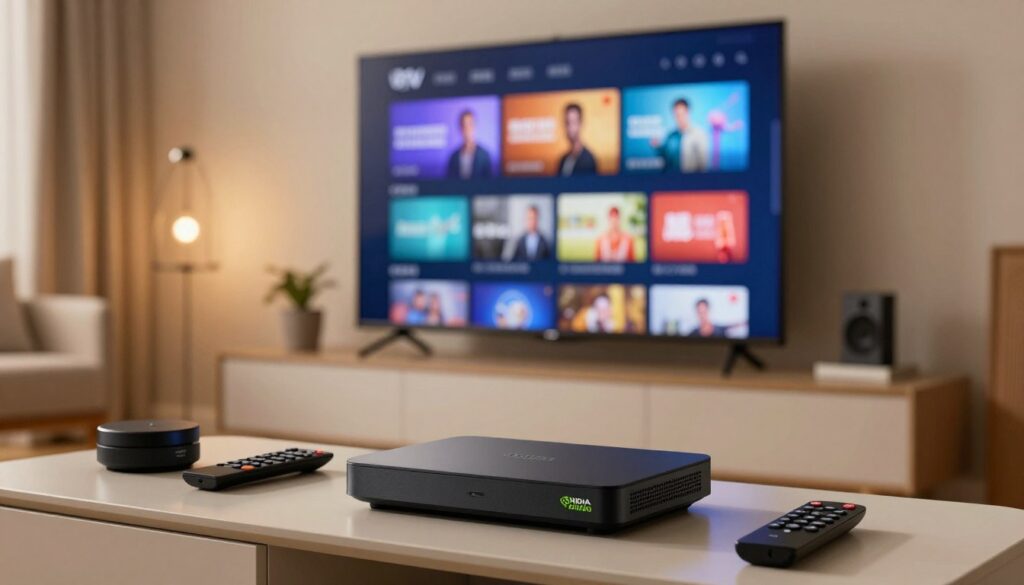
Welcome to the ultimate upgrade for your home entertainment setup. If you own a high-performance media player, you already know it is a powerhouse for streaming. Learning how to install IPTV allows you to unlock a world of live television and on-demand content right from your living room. This guide provides a clear, safe path to getting your favorite channels running smoothly. By following these simple steps, you will transform your hardware into a comprehensive media hub. We focus on efficiency and security to ensure your viewing experience remains top-tier. Setting up IPTV on Nvidia Shield is easier than you might think. Whether you are a tech enthusiast or a casual viewer, our instructions will help you navigate the process with total confidence. Let’s get started on building your perfect digital library today. Key Takeaways Understanding the Benefits of IPTV on Nvidia Shield Setting up IPTV on Nvidia Shield transforms your living room into a high-end entertainment hub. Unlike standard smart TVs or budget streaming sticks, this device offers a level of performance that is truly unmatched in the current market. At the heart of this experience lies the powerful Tegra X1+ processor. This hardware ensures that your streams remain fluid, crisp, and free from the frustrating lag often found on cheaper alternatives. “The true power of a streaming device is not just in its resolution, but in its ability to handle complex data streams without breaking a sweat.” When you follow a comprehensive Nvidia Shield streaming guide, you quickly realize that the device optimizes playback in ways other hardware cannot. It handles high-bitrate content with ease, providing a stable and immersive viewing experience for all your favorite channels. Most budget devices struggle with heavy applications, leading to frequent crashes or buffering. By choosing to use IPTV on Nvidia Shield, you are investing in a robust platform designed to handle high-definition content consistently. This reliability makes it the gold standard for anyone serious about their home entertainment setup. Preparing Your Nvidia Shield for IPTV Installation Proper configuration of your Nvidia Shield is essential for a smooth installation process. Before you can enjoy your favorite content, you must adjust specific system settings to allow the device to accept third-party software. Taking these steps ensures that your IPTV on Nvidia Shield setup remains secure and functional. Enabling Developer Options and Unknown Sources To begin, navigate to your device settings and locate the “About” section. You will need to click on the “Build” version repeatedly until a notification confirms that you are now a developer. This simple action unlocks the Android TV developer options, which are hidden by default to protect casual users. Once these options are active, return to the main settings menu and select “Security & Restrictions.” Here, you must toggle the switch for “Unknown Sources” to the On position. This change is vital because it grants your device permission to install applications that do not originate from the official Google Play Store. Ensuring Stable Network Connectivity High-quality streaming requires a consistent and fast internet connection. If you want to avoid buffering during live broadcasts, a wired Ethernet connection is always the best choice. It provides the most reliable bandwidth for your media player. If a wired connection is not possible, ensure your device is connected to a 5GHz Wi-Fi band rather than the slower 2.4GHz frequency. Using the 5GHz band significantly reduces interference and helps maintain the high data speeds necessary for IPTV on Nvidia Shield. By optimizing your network now, you prevent future playback issues and ensure a seamless viewing experience. Selecting a Reliable IPTV Service Provider Your entire entertainment experience depends on choosing a dependable IPTV provider. Because there are many options available, taking the time to research your choice is essential for long-term satisfaction. Proper IPTV channel management allows you to organize your favorite content efficiently while ensuring your stream remains stable. Evaluating Channel Selection and Quality When you look for a provider, start by reviewing their channel list to ensure it includes your preferred networks. A great service offers a wide variety of sports, news, and entertainment channels to keep your household happy. Always prioritize providers that offer high-definition or 4K streams to get the most out of your Nvidia Shield hardware. Server uptime is another critical factor that you should not overlook. A reliable provider maintains consistent performance, which prevents annoying buffering during live events. Effective IPTV channel management also relies on a provider that updates their EPG data regularly so you always know what is playing next. Checking Compatibility and Subscription Plans Before you commit to a long-term contract, verify that the service is fully compatible with your device. Most reputable providers offer a trial period, which is the perfect way to test the interface and stream quality. You should also compare subscription plans to find the best value for your specific entertainment budget. Look for flexible payment options that allow you to cancel or upgrade your plan easily. Avoid services that force you into multi-year contracts without offering a way to test their reliability first. The following table highlights the key features you should compare when evaluating different providers. Feature Basic Plan Premium Plan Stream Quality Standard HD 4K Ultra HD Device Support 1 Connection 3-5 Connections Channel Count 5,000+ 15,000+ Trial Availability 24 Hours 48 Hours Downloading the Downloader App for Sideloading The Downloader app serves as the primary gateway for installing third-party software on your Nvidia Shield. Because many specialized streaming tools are not available in the official store, this utility is essential for anyone learning how to install IPTV services effectively. Locating the App in the Google Play Store Finding the application is a simple task that takes only a few moments. Navigate to the Google Play Store on your home screen and select the search icon. Type “Downloader” into the search bar using your remote or a connected keyboard. Once the app appears in the results, select it and click the Install button to add it to your
TiviMate Review: Top IPTV Player for Smooth and Reliable Streaming
Modern cord-cutters in the United States are constantly searching for the perfect way to manage their digital content. As traditional cable fades, finding a high-quality IPTV player has become essential for a seamless home entertainment setup. Tivimate stands out as a premier solution for those who demand consistent performance. This application is widely considered the gold standard for users who prioritize streaming reliability above all else. By organizing your channels and content into a clean, intuitive interface, this software transforms how you interact with your media. Whether you are a casual viewer or a power user, mastering IPTV streaming becomes effortless with this powerful tool. In this review, we will explore why Tivimate remains the top choice for modern households looking to elevate their viewing experience. Key Takeaways Understanding the Popularity of Tivimate In the crowded market of digital media, one application has consistently stood out from the rest. Tivimate has quickly become the go-to choice for enthusiasts who demand a reliable IPTV player. Its rise to prominence is largely due to a design philosophy that favors stability over unnecessary complexity. Many users find that other applications often suffer from bloatware or confusing menus. By contrast, this software keeps things simple, allowing viewers to focus on their content rather than troubleshooting settings. This commitment to a clean user experience is exactly why it has earned such a loyal following. “Simplicity is the ultimate sophistication,” as the famous saying goes, and this platform proves that point by delivering high-end performance without the clutter. Market trends show that modern consumers want to organize their digital libraries with minimal effort. Tivimate addresses this need by providing a professional-grade interface that remains accessible to the average person. It bridges the gap between technical power and everyday usability, making it a household name for cord-cutters. Whether you are a casual viewer or a power user, the software adapts to your specific needs. It manages to maintain a high standard of quality, ensuring that your favorite streams remain smooth and consistent. Choosing the right IPTV player is essential for a great experience, and this application continues to set the bar for the entire industry. Core Features That Set Tivimate Apart Beyond basic playback, Tivimate introduces a level of control that transforms how you interact with your digital content. This application is built for users who demand more than just a standard viewing experience, offering a robust set of tools that cater to power users and casual streamers alike. Advanced Electronic Program Guide (EPG) Management One of the most significant advantages of this player is its sophisticated EPG management system. It ensures that your channel guides remain accurate, providing real-time updates so you never miss your favorite shows. Consistency is key when it comes to streaming. By allowing users to manually assign or refresh sources, the app guarantees that your schedule is always reliable and easy to read. Multi-screen and Picture-in-Picture Functionality For those who enjoy keeping an eye on multiple events at once, the multi-screen feature is a game-changer. You can easily split your display to watch several channels simultaneously without needing extra hardware. The picture-in-picture mode further enhances this by allowing you to browse through your library while keeping your current stream active in a small window. This level of flexibility is rarely found in competing software. “The best way to predict the future of television is to invent it, and tools like this are leading the way in user-centric design.” Customizable Interface and Remote Control Mapping Tivimate empowers you to tailor your navigation experience through intuitive remote control mapping. You can assign specific actions to your remote buttons, making it faster to access your most-used features. Whether you want to jump to a specific category or toggle your favorites, the interface remains highly responsive to your personal needs. This customizable interface ensures that your setup feels uniquely yours, adapting perfectly to your daily viewing habits. User Experience and Interface Design The secret to a perfect streaming setup lies in the balance between power and simplicity. Tivimate excels by offering a clean layout that removes the clutter often found in other media players. This thoughtful approach ensures that you spend less time searching for settings and more time enjoying your favorite shows. Navigating the Dashboard The dashboard is built with the viewer in mind, providing a user-friendly interface that feels natural from the very first click. You can easily browse through your live television channels or jump straight into your recorded content with just a few simple commands. Everything is organized into logical categories, which helps drastically reduce the learning curve for new users. Whether you are a tech enthusiast or a casual viewer, the menu structure remains consistent and predictable. This reliability makes it a top choice for anyone who values a smooth, stress-free navigation experience. Visual Customization Options Beyond its functional layout, the app offers extensive tools to personalize your viewing environment. You can adjust themes, fonts, and color schemes to create a user-friendly interface that matches your personal style perfectly. These aesthetic choices allow you to tailor the look of your screen to suit your home theater setup. Customization is key to making the software feel like your own. By tweaking the visual elements, you ensure that the text is readable and the colors are easy on the eyes during late-night viewing sessions. This level of control is exactly why so many people prefer this platform over more rigid alternatives. Performance and Streaming Reliability Performance is the backbone of any great streaming setup, especially when watching live sports or high-definition content. Users often prioritize streaming reliability to ensure their favorite shows play without constant interruptions. Tivimate excels in this area by optimizing how it processes incoming data streams. Buffer Management and Playback Stability Effective buffer management is essential for maintaining a smooth viewing experience during peak traffic hours. The application intelligently pre-loads segments of the video to prevent sudden drops in quality or annoying pauses. This proactive approach ensures that your
5 Best IPTV Services in USA in 2026 : A Comprehensive Review
The way American households consume television has changed drastically. As we move further into 2026, many families are finally cutting the cord on expensive cable packages. Finding the BEST IPTV in USA solution is now the top priority for viewers who want more flexibility and control over their entertainment. Transitioning to a digital-first setup offers a personalized viewing experience that traditional providers simply cannot match. You can now enjoy your favorite shows, live sports, and news without being tied to long-term contracts or hidden fees. Our goal is to help you navigate this crowded market with ease. We have carefully evaluated the current landscape to ensure you choose a service that offers outstanding reliability and great value for your money. Let us simplify your journey toward a modern, high-quality home entertainment system. Key Takeaways The Evolution of Streaming and the Rise of IPTV in the USA The shift from traditional broadcast signals to internet-based delivery has fundamentally altered how we experience media in the United States. For decades, viewers relied on rigid cable schedules and bulky hardware to access their favorite programs. Today, the landscape of streaming services has replaced these outdated models with flexible, on-demand alternatives. This transition was made possible by the widespread availability of high-speed broadband across the country. As internet speeds increased, the ability to transmit high-definition video directly to home devices became a reality. This technological leap allowed innovative platforms to bypass the limitations of physical cable lines entirely. Modern viewers now prioritize convenience and control over their viewing habits. Unlike legacy providers, these new streaming services offer the freedom to watch content on tablets, smartphones, and smart TVs without being tethered to a specific room. This level of portability has become a defining feature for the modern American household. The decline of traditional cable is not just about cost; it is about the evolution of user expectations. People no longer want to pay for hundreds of channels they never watch. By choosing streaming services, consumers can curate their own entertainment experiences with precision. This shift marks a permanent change in how we consume information and media in the digital age. Criteria for Selecting the BEST IPTV Providers Selecting the best IPTV providers requires a clear understanding of what matters most for your home entertainment. With so many choices on the market, it is easy to feel overwhelmed by the technical jargon and varying subscription models. To make an informed decision, you should prioritize services that offer a consistent and reliable broadcast stream. A high-quality connection ensures that your favorite live sports and news programs remain buffer-free during peak viewing hours. Beyond stability, you must evaluate the channel lineups to ensure they include the networks your family watches most. Many IPTV providers offer tiered pricing structures, allowing you to pay only for the content you actually consume. It is wise to compare these tiers against your monthly budget to avoid overpaying for channels you never use. Finally, consider the user interface and device compatibility of the platform. The best IPTV experience is one that works seamlessly across your smart TV, tablet, and smartphone. By focusing on these essential criteria, you can filter out subpar options and build a setup that perfectly aligns with your specific household needs. Top Tier IPTV Services for American Viewers American viewers have access to some of the most advanced digital television platforms in the world. As the demand for flexible entertainment grows, several streaming services have risen to the top by offering reliable, high-quality content delivery. Selecting the right platform depends on your specific needs for sports, news, and local programming. IPTV Smarter USA Overview IPTV Smarter USA is widely recognized as the premier choice for sports enthusiasts. It provides an extensive lineup of channels that focus heavily on live athletic events and international tournaments. Pros Features Users benefit from a generous cloud DVR storage capacity. This allows you to record games and watch them at your convenience without missing a single play. Neon4KTV Overview Neon4ktv has become a household name due to its intuitive interface and seamless integration with Google technology. It offers a balanced mix of cable networks and local broadcast stations. Pros Cons The channel lineup occasionally changes due to carriage disputes. Some niche sports channels are missing compared to specialized competitors. Features One of the BEST IPTV features is the ability to create multiple personalized profiles. This ensures that every member of your household gets tailored recommendations for live TV content. PimsTV Overview PimsTV provides a unique value proposition by bundling live broadcasts with an extensive on-demand library. It is an ideal solution for those who want a complete entertainment package. Pros Cons The interface can feel cluttered for users who prefer a traditional cable-like experience. The base plan includes ads in the on-demand library unless you upgrade. Features This service excels at providing a hybrid experience. You can easily switch between watching a live news broadcast and catching up on your favorite original series. Budget-Friendly IPTV Alternatives for Cord Cutters Finding the perfect balance between cost and content is the ultimate goal for modern cord cutters. Many households are now seeking affordable streaming solutions that provide essential entertainment without the heavy price tag of traditional cable packages. By choosing the right cable alternatives, you can maintain access to your favorite networks while keeping your monthly budget in check. These services offer flexibility that legacy providers simply cannot match. Sling TV Overview Sling TV is a pioneer in the live TV space, offering a modular approach to channel selection. It allows users to pick between two base packages, Orange and Blue, or combine them for a more comprehensive experience. Pros Cons Features Sling TV includes a cloud DVR feature, though storage space varies by plan. It supports a wide range of devices, making it a versatile choice for those focused on cord cutting. “The beauty of modern streaming lies in the power of choice, allowing viewers to pay only for what they actually watch.” Philo