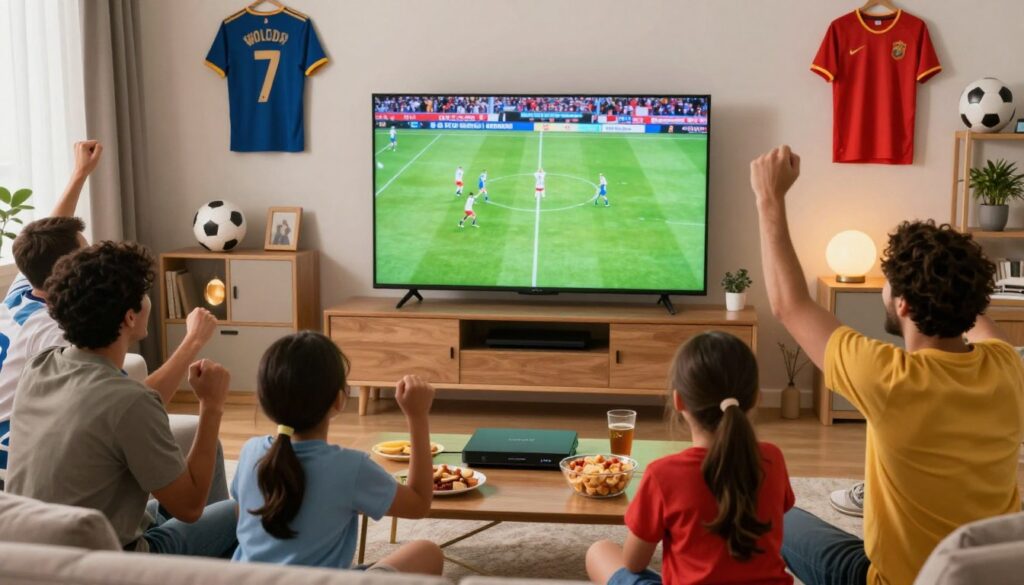
The excitement of the global soccer tournament is finally here. Fans across the United States are looking for the best ways to catch every thrilling match live. If you want a seamless experience, learning how to watch the World Cup with IPTV is a game-changer for your home setup.
This comprehensive US streaming guide helps you navigate the technical side of modern broadcasting. We break down the steps to ensure you enjoy high-quality streams without any frustrating interruptions. Whether you are a tech expert or a casual viewer, our tips make the process simple and stress-free.
Prepare your living room for the ultimate viewing party. By following these clear instructions, you will be ready to cheer for your favorite team from the comfort of your couch.
Key Takeaways
- Discover the most reliable methods for streaming major soccer events in the US.
- Learn how to optimize your internet connection for a buffer-free experience.
- Understand the benefits of using modern digital television services for live sports.
- Follow our step-by-step setup process designed for all skill levels.
- Ensure you never miss a goal with our expert troubleshooting tips.
Understanding the Basics of IPTV Technology
If you are curious about how your television receives content without a satellite dish, you are ready to explore the world of IPTV technology. This modern method of delivery is the primary driver behind the growing trend of cord-cutting across the United States. By moving away from legacy systems, viewers gain more control over their entertainment choices.
How IPTV Differs from Traditional Cable
Traditional cable television relies on broadcast signals sent through coaxial cables in a continuous loop. In contrast, IPTV delivers content through your internet connection using data packets. This means your television receives information in a way that is much more similar to how you browse websites on a computer.
Because the signal is digital and on-demand, it offers a level of flexibility that older systems simply cannot match. You are no longer tied to a rigid broadcast schedule for your favorite programs. Instead, you can access content whenever you have an active connection.
| Feature | Traditional Cable | IPTV |
|---|---|---|
| Delivery Method | Coaxial/Broadcast | Internet Protocol |
| Signal Type | Analog/Digital Loop | On-Demand Packets |
| Flexibility | Low | High |
| Device Support | TV Only | Multi-Device |
The Role of Internet Speed in Streaming Sports
When you are streaming sports, the quality of your internet connection becomes the most critical factor. High-definition live sports streaming requires a consistent flow of data to prevent buffering or pixelation during fast-paced action. If your bandwidth is too low, the video quality will drop significantly to keep the stream running.
A stable, high-speed connection ensures that data packets arrive in the correct order without delay. This is essential for maintaining a smooth experience during high-traffic events like the World Cup. Investing in a reliable internet plan is the best way to ensure your setup remains future-proof for all your viewing needs.
Legal Considerations for IPTV in the United States
Navigating the legal landscape of streaming in the United States requires a clear understanding of how content reaches your screen. When you prepare to watch the World Cup, knowing the difference between legal and illegal streams is essential for a worry-free experience. Staying on the right side of the law ensures your sports viewing remains both high-quality and secure.
Distinguishing Between Authorized and Unauthorized Services
It is vital to identify whether your provider operates as a legal IPTV service. Authorized platforms have formal agreements with content owners to distribute live feeds. In contrast, unauthorized services often lack these permissions and may disappear without notice, leaving you without access during a big game.
You can usually spot the difference by looking for these key indicators:
- Official partnerships with major networks and sports leagues.
- Transparent billing practices and clear customer support channels.
- Availability on official app stores like Google Play or the Apple App Store.
While some users turn to a VPN for streaming to protect their privacy, it is important to remember that a VPN should be used to enhance your security while accessing legitimate platforms. It does not make an unauthorized service legal.
Why Licensing Matters for World Cup Broadcasts
Licensing agreements are the backbone of professional sports broadcasting. These contracts ensure that leagues and content creators receive fair compensation for their work. When you choose a service that respects these broadcast rights, you are supporting the ecosystem that makes high-quality sports coverage possible.
There are several reasons why licensing is critical for your viewing experience:
- Reliability: Licensed services provide stable, high-definition streams that do not cut out during critical moments.
- Security: Official platforms protect your personal data and payment information from malicious actors.
- Quality: Proper broadcast rights allow providers to invest in better infrastructure, ensuring a smooth sports broadcasting experience for everyone.
By sticking to legal IPTV options, you guarantee that your setup remains compliant with local regulations. This approach allows you to focus entirely on the excitement of the tournament rather than worrying about potential service interruptions.
Essential Hardware for a Seamless Viewing Experience
Your choice of hardware plays a massive role in how you experience live sports. When you watch fast-paced matches, you need a device that can handle high-definition data without stuttering. Investing in the right IPTV hardware ensures that you never miss a crucial moment during the tournament.
Reliable equipment is the foundation of a great setup. By choosing devices built for streaming sports, you significantly reduce the risk of lag or sudden disconnects. This preparation allows you to focus entirely on the game rather than troubleshooting your connection.
Streaming Devices Like Amazon Fire TV Stick and Roku
Popular streaming sticks are often the best starting point for most users. Devices like the Amazon Fire TV Stick and Roku offer excellent compatibility with a wide range of applications. These compact tools are highly efficient and easy to set up in any room of your home.
Because these devices are designed specifically for media consumption, they often provide a smoother interface than built-in television software. Using a dedicated stick can lead to a noticeable improvement in your overall streaming quality. They are affordable, portable, and receive frequent updates to keep your software running at its peak.
Smart TV Compatibility and External Media Players
Many modern televisions come with built-in apps, but they may not always support every service you want to use. Before you commit to a specific setup, check if your Smart TV is compatible with your chosen provider. If your TV feels sluggish or lacks app support, an external media player is a smart upgrade.
External players often feature more powerful processors than standard Smart TVs. This extra power helps maintain high streaming quality even during high-traffic events where network demand is at its highest. If you find that your current setup struggles with buffering, switching to a dedicated external device is often the most effective solution for a better experience.
How to Watch the World Cup with IPTV Services
If you want to watch soccer online during the tournament, choosing the right setup is your first step toward success. Preparing your home for the World Cup with IPTV ensures that you can enjoy every match in high definition without constant interruptions. By following a structured approach, you can transform your living room into a front-row seat for the biggest games of the year.

Selecting a Reliable IPTV Provider for Sports
Not every IPTV service is built to handle the high traffic of a global sporting event. You should look for a reliable IPTV provider that offers dedicated sports servers to prevent buffering during peak hours. A quality provider will prioritize stable connections and offer a wide range of international sports channels.
When evaluating options, check for customer reviews that specifically mention live sports performance. It is also wise to test the service with a short-term subscription before committing to a long-term plan. This ensures the stream quality meets your expectations for fast-paced soccer matches.
Setting Up Your IPTV Application on Supported Devices
Once you have chosen your provider, the next phase is the IPTV setup. Most modern streaming devices, such as Fire Sticks or Android TV boxes, allow you to install dedicated IPTV applications easily. You will typically need to enter your login credentials provided by your service to access your dashboard.
After logging in, take a moment to explore the interface and test the playback quality. Ensure that your device is connected to a stable network to avoid any lag. If you encounter issues, most apps have settings to adjust the video buffer size or hardware decoding options for better performance.
Configuring EPG and Channel Lists for Tournament Coverage
An Electronic Program Guide (EPG) is essential for keeping track of the match schedule. By configuring your EPG, you can see exactly when your favorite teams are playing and set reminders accordingly. Many users find it helpful to create a “Favorites” list specifically for the tournament to avoid scrolling through hundreds of channels.
Organizing your channel list allows you to switch between matches quickly during simultaneous kick-offs. You can often rename or reorder channels within your app settings to prioritize the networks broadcasting the games. This level of customization makes it much easier to stay updated on all the action throughout the tournament.
| Feature | Basic Setup | Advanced Setup |
|---|---|---|
| Channel Organization | Manual Sorting | Custom Favorites List |
| EPG Integration | Standard Load | Auto-Refresh Enabled |
| Device Compatibility | Single Device | Multi-Device Sync |
| Streaming Quality | Standard Definition | Full HD/4K Support |
Optimizing Your Network for Live Sports Streaming
Network optimization is the secret weapon for every sports fan who demands a flawless stream. When millions of viewers tune in simultaneously, your home setup must be ready to handle the heavy data load. By taking a few proactive steps, you can ensure your streaming quality remains high even during the most intense tournament moments.
Reducing Latency and Buffering During High-Traffic Matches
High live sports latency often occurs when your router struggles to prioritize video data over other household traffic. To combat this, you should manage your bandwidth effectively during big games. Consider these essential tips to keep your connection smooth:
- Enable Quality of Service (QoS) settings on your router to prioritize streaming devices.
- Disconnect background devices like tablets or consoles that are not in use.
- Clear your browser cache or restart your streaming app before the match begins.
“A stable network is the difference between witnessing a historic goal in real-time and seeing it on social media five minutes later.”
The Importance of Wired Connections Versus Wi-Fi
While Wi-Fi offers great convenience, it is often susceptible to interference from walls, appliances, and neighboring networks. For the best live sports streaming experience, a wired Ethernet connection is almost always superior. It provides a direct, consistent path for data that eliminates the unpredictable drops common with wireless signals.
If you must use Wi-Fi, try to position your router in an open, central location away from obstructions. Using a 5GHz band instead of the crowded 2.4GHz frequency can also provide a significant boost in speed and stability. Ultimately, network optimization is about removing barriers between your device and the broadcast server to ensure you never miss a second of the action.
Navigating World Cup Broadcast Rights in the US
Navigating the complex landscape of broadcast rights is vital for any fan wanting to catch every World Cup match. Understanding the legal framework of sports broadcasting ensures you choose a reliable path for your viewing experience. This US streaming guide helps you identify exactly where the action is happening so you never miss a goal.

Understanding Official Broadcasters Like Fox Sports and Telemundo
In the United States, the rights to air the World Cup are held by major networks that invest heavily in production. Fox Sports serves as the primary English-language broadcaster, providing extensive coverage and expert analysis. Meanwhile, Telemundo holds the Spanish-language rights, offering a passionate and culturally rich perspective on every match.
These networks ensure that fans across the country have access to high-quality feeds. Because these entities own the exclusive broadcast rights, they dictate how the tournament is distributed to various platforms. Knowing these primary sources is the first step in building your personal sports broadcasting setup.
How IPTV Services Integrate Official Sports Channels
Legitimate IPTV services work by licensing these official channels directly into their digital packages. By including networks like Fox Sports and Telemundo, these providers offer a comprehensive viewing experience that mirrors traditional cable. This integration allows you to watch live games through your preferred internet-connected device with ease.
When evaluating a service, always check if they carry these specific channels in high definition. A quality provider will prioritize stable connections to these official feeds to ensure your stream remains uninterrupted. The following table outlines the primary coverage areas for these networks:
| Network | Language | Coverage Type |
|---|---|---|
| Fox Sports | English | Full Tournament |
| Telemundo | Spanish | Full Tournament |
| FS1 / FS2 | English | Supplementary Matches |
Troubleshooting Common IPTV Streaming Issues
Even the most reliable streaming systems can occasionally run into technical hurdles during a big game. Having a solid IPTV setup is the first step toward a great experience, but knowing how to perform basic IPTV troubleshooting is equally important. These simple skills help you minimize the impact of unexpected interruptions during the tournament.
Resolving Connection Drops During Live Games
Connection drops are often caused by spikes in live sports latency, especially when thousands of fans are streaming the same match simultaneously. If your stream suddenly cuts out, the first step is to check your local network stability. Restarting your router can often clear up temporary congestion that causes these frustrating disconnects.
If the problem persists, try switching your device to a wired Ethernet connection instead of relying on Wi-Fi. A stable, hardwired link provides a much more consistent data flow for high-definition content. You should also ensure that no other bandwidth-heavy applications are running on your home network while you watch.
Fixing Audio and Video Synchronization Problems
Sometimes, you might notice that the audio does not match the action on the screen. This synchronization issue is usually a minor processing delay within the application itself. A quick way to fix this is to clear the cache of your IPTV application through your device settings.
If clearing the cache does not work, try force-stopping the app and reopening it to refresh the stream. Many modern media players also include an audio offset setting in their advanced menus. Adjusting this setting by a few milliseconds can often perfectly align the sound with the live broadcast, ensuring your viewing pleasure remains intact.
Enhancing Your Setup with VPNs for Privacy
Modern streaming requires more than just a fast internet connection; it requires a focus on personal security. When you use legal IPTV services, your data travels across the web in ways that can be monitored by third parties. Adding a layer of privacy to your home network ensures that your viewing habits remain your own business.
Why Privacy Matters When Streaming Online
Your internet service provider often tracks the websites you visit and the services you use. This data collection can lead to bandwidth throttling, where your speed is intentionally slowed down during high-traffic events like the World Cup. By using a VPN for streaming, you encrypt your traffic, making it impossible for your provider to see exactly what you are watching.
Privacy is not just about hiding data; it is about maintaining a seamless experience. When your connection is encrypted, you gain several key advantages:
- Enhanced Security: Protects your personal information from potential hackers on public or shared networks.
- Preventing Throttling: Stops your ISP from slowing down your connection based on your streaming activity.
- Data Anonymity: Keeps your browsing history private and away from third-party advertisers.
Choosing a VPN That Supports High-Definition Sports
Not every service is built for the demands of live sports. You need a provider that offers high-speed servers to ensure your legal IPTV feed stays crisp and clear. If you choose a slow service, you will likely experience buffering during the most exciting moments of a match.
When selecting a VPN for streaming, look for these specific features to guarantee the best performance:
- High-Speed Protocols: Look for modern protocols like WireGuard that prioritize speed without sacrificing security.
- Global Server Network: A wide range of server locations helps you find the fastest path to your content.
- No-Logs Policy: Always choose a provider that guarantees they do not store records of your online activity.
Investing in a quality service is a small price to pay for peace of mind. By taking these steps, you ensure that your World Cup viewing experience is both private and high-quality.
Comparing IPTV Against Traditional Satellite and Cable
If you are looking to watch soccer online, you might be wondering how modern streaming stacks up against your old satellite dish. The landscape of home entertainment has shifted, and many fans are now choosing to move away from rigid, expensive contracts.
Making the switch to an IPTV service allows you to break free from the limitations of traditional broadcast infrastructure. By leveraging your existing internet connection, you gain access to a world of live sports without the need for bulky hardware or professional installation.
Cost-effectiveness of Modern Streaming Solutions
One of the primary drivers behind the cord-cutting movement is the significant potential for monthly savings. Traditional cable packages often bundle hundreds of channels you never watch, inflating your bill unnecessarily.
In contrast, a well-chosen IPTV subscription typically offers a more streamlined pricing model. You pay for the content you actually want, which is a major advantage when you are trying to follow every match of the tournament on a budget.
Flexibility and Multi-Device Access for World Cup Fans
Modern streaming technology provides a level of flexibility that satellite providers simply cannot match. You are no longer tethered to a single television in your living room.
Whether you are commuting, traveling, or simply moving between rooms, a reliable IPTV provider ensures your game is always within reach. You can stream matches on your smartphone, tablet, or laptop with ease.
This multi-device capability is essential for fans who do not want to miss a single second of the action. By choosing a modern solution, you gain the freedom to enjoy your favorite sports exactly how and where you prefer.
Best Practices for Maintaining Your IPTV Subscription
Managing your digital entertainment requires a bit of routine care to avoid unexpected service gaps. By staying proactive, you ensure that your IPTV subscription remains active and secure throughout the entire tournament season.
Managing Subscription Renewals and Account Security
One of the most important aspects of your service is keeping track of your billing cycle. Setting up automatic reminders or enabling auto-renewal features helps prevent accidental service interruptions during critical matches.
Beyond renewals, account security is vital for protecting your personal information. Always use strong, unique passwords and enable two-factor authentication if your provider offers it. This simple step prevents unauthorized access to your IPTV subscription and keeps your data safe.
Keeping Your IPTV Software Updated for Performance
Regularly updating your applications is essential for maintaining high-quality streams. Developers frequently release patches that improve IPTV technology and fix bugs that might cause playback issues. Checking for updates ensures your software remains compatible with the latest streaming standards.
Furthermore, consistent updates often include improvements for IPTV hardware and better network optimization settings. If you encounter minor glitches, these updates are often the first step in effective IPTV troubleshooting. Keeping your system current guarantees that your setup continues to provide a top-tier viewing experience all year long.
Conclusion
Modern streaming technology transforms how fans in the United States engage with global sports events. You now possess the tools to curate a personalized viewing environment that fits your lifestyle perfectly.
Reliable hardware and stable internet connections serve as the foundation for your success. By prioritizing high-quality streams, you ensure that every goal and tactical play remains crystal clear throughout the tournament.
Your commitment to maintaining secure and updated software protects your digital privacy while you enjoy the action. This proactive approach keeps your devices running smoothly during high-traffic matches.
The world of digital broadcasting continues to evolve for the better. Embrace these advancements to stay ahead of the curve and never miss a moment of the beautiful game. Your journey toward a superior sports experience starts with these simple steps.
Share your favorite setup tips with fellow fans to help build a stronger community. Enjoy the matches on your terms and make the most of every broadcast.
FAQ
Is it legal to watch the World Cup via IPTV services in the United States?
Yes, it is perfectly legal as long as you use authorized services that hold the proper broadcast rights. In the U.S., major networks like Fox Sports and Telemundo own the official licensing for the tournament. To ensure a secure and compliant experience, always choose reputable providers that integrate these official channels rather than unauthorized third-party streams.
Which hardware is best for a reliable World Cup streaming experience?
For the best performance, many fans opt for dedicated streaming devices like the Amazon Fire TV Stick 4K, Roku Streaming Stick, or Apple TV 4K. You can also use Smart TVs from brands like Samsung or LG. If you want the most robust setup, an external media player like the Nvidia Shield TV provides excellent processing power for high-definition sports.
How much internet speed do I need to avoid buffering during live matches?
To enjoy a smooth, high-definition stream without frustrating latency, we recommend a minimum internet speed of 25 Mbps. However, if you are streaming in 4K or have multiple devices on your network, speeds of 50 Mbps or higher are ideal. For maximum stability during high-traffic games, using a wired Ethernet connection is always superior to Wi-Fi.
Can I use a VPN to watch the World Cup on IPTV?
Absolutely. Using a VPN—such as ExpressVPN or NordVPN—is a highly recommended practice for privacy and security. A VPN encrypts your data and can help maintain a stable connection if your ISP tends to throttle high-bandwidth activities like live sports streaming. Just ensure you choose a provider known for high-speed servers to support high-definition sports.
What is an EPG and how does it help me during the tournament?
EPG stands for Electronic Program Guide. It functions as a digital menu that displays the schedule of upcoming matches on channels like Fox Sports. Setting up your EPG correctly within your IPTV application ensures you can see exactly when every kickoff happens, allowing you to plan your viewing and never miss a goal.
How do I fix audio and video synchronization issues during a game?
If you encounter audio and video synchronization problems, the first step in IPTV troubleshooting is to restart your application or your Amazon Fire TV Stick. You can also try clearing the cache in your app settings. If the problem persists, switching from a Wi-Fi signal to a wired connection often resolves timing discrepancies caused by network fluctuations.
Is IPTV more cost-effective than traditional cable or satellite TV?
Generally, yes. Many cord-cutting fans find that IPTV solutions offer significant savings compared to legacy cable systems or satellite packages. Beyond the lower price point, IPTV provides greater flexibility and multi-device access, allowing you to watch the World Cup on your smartphone, tablet, or laptop while you are away from your main television.
How often should I update my IPTV software?
You should check for software updates regularly. Developers frequently release patches that improve streaming performance and provide critical account security updates. Keeping your apps and streaming hardware updated ensures that you have the latest features and the most stable connection possible for the duration of the global event.